An AI baby photo turns a real baby snapshot into a cinematic, storybook, or cartoon-style portrait — without losing the face you love. This guide walks through eight tuned styles, the exact prompts behind them, and how to turn any result into an animated dance video in one click.
If you want to pick the right source photo first, skim our 1-minute baby photo checklist before you start.
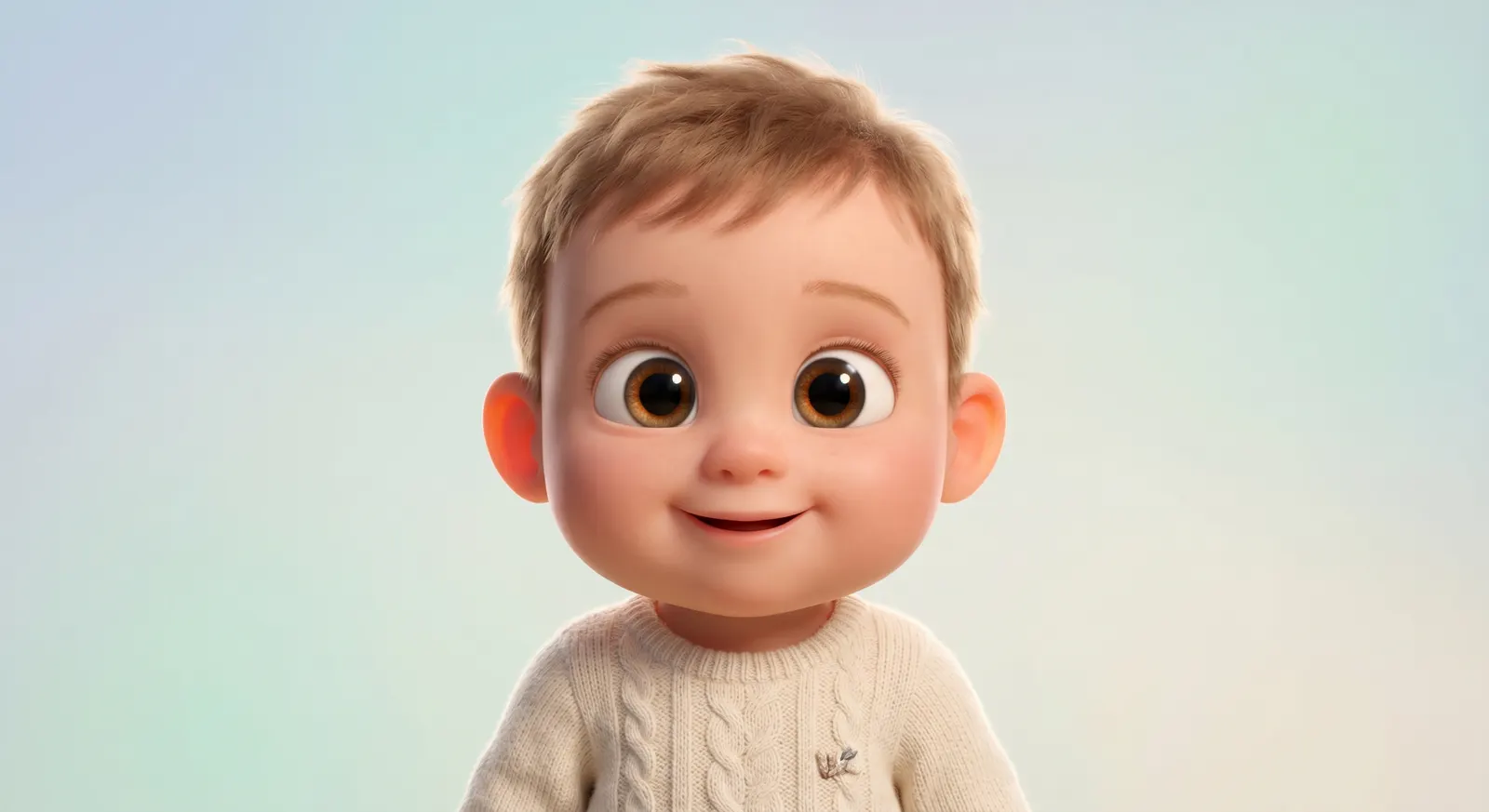
What Is an AI Baby Photo?
"AI baby photo" covers three different things online. Keeping them apart saves you from using the wrong tool:
- Future baby predictor: uploads two parent photos, invents a child that doesn't exist yet. Fun for couples, not what this post is about.
- Text-to-baby: no reference photo, you describe the baby and the AI invents a face from scratch. Great for fictional characters, weak on likeness.
- Photo-style-transfer: you upload an existing baby photo and an AI restyles it into another medium — Pixar 3D, watercolor, plush toy, pixel art — while preserving facial features.
This guide focuses on photo-style-transfer, because that's the path that gives parents a real, recognizable portrait they can frame, print, or animate. Typical uses: nursery wall art, birthday invitation cards, baby book covers, grandparent gifts, and social share cards.
Before You Start: The Quick Photo Check
Garbage in, garbage out. The difference between a magical result and a mushy one is almost always the source photo. Five fast checks:
- Face clarity — eyes, nose, and mouth visible; no pacifier, hand, or blanket blocking the face.
- Soft even light — window light or diffused indoor light beats harsh direct sun.
- Front-facing angle — straight-on or slight 3/4 turn; avoid extreme top-down or profile shots.
- Clean background — plain walls, crib sheets, or muted scenes. Busy wallpaper confuses the AI.
- High resolution — use the original camera file, not a screenshot or compressed chat image.
Want the full 10-point rubric? Our baby photo checklist scores any photo in under a minute.
8 AI Baby Photo Styles to Try
Each style below is tuned in our generator to preserve facial features while restyling the medium. Click the style name in the generator and you get the polished prompt automatically — but if you're using a generic tool, copy the prompt verbatim as a starting point.
1. 3D Animation Studio
The crowd-pleaser. Big eyes, soft rounded cheeks, cinematic lighting, feature-film polish. Works equally well for babies and toddlers; especially strong on smiling portraits.
Try this prompt: "Pixar-style 3D animated baby character, huge sparkling eyes, soft rounded face, subsurface scattering skin, cinematic studio lighting, ultra high quality 3D render, feature-film polish"
Best for: birthday party invites, framed nursery art, social media avatars.
2. Hand-drawn Fantasy
Dreamy pastel watercolors with a whimsical storybook feel. Extremely gentle — the safest pick if the source photo has slightly uneven lighting.
Try this prompt: "hand-drawn fantasy watercolor baby character, dreamy pastel palette, delicate line work, whimsical storybook atmosphere, soft natural light"
Best for: baby books, nursery prints, shower cards.
3. Classic Anime
Bold line art, vibrant cel shading, big expressive eyes. Gives the baby an instantly recognizable anime-protagonist feel without wandering into any specific studio's house style.
Try this prompt: "classic Japanese anime style baby character, clean bold line art, vibrant cel-shading, big expressive eyes, lively cheerful expression"
Best for: anime-fan parents, birthday cards for otaku friends, stickers.
4. Clay Sculpt
Stop-motion claymation with visible sculpt marks and handmade warmth. Reads as "crafted by a real human" — relatives adore it.
Try this prompt: "stop-motion claymation baby character, visible clay texture and sculpted seams, handmade warmth, soft studio lighting, tilt-shift look"
Best for: grandparent gifts, Christmas cards, printed on mugs or ornaments.
5. Chibi Cute
Oversized head, tiny body, blush cheeks, sticker-ready composition. The most shareable style of the eight — almost impossible not to repost.
Try this prompt: "chibi style cute baby character, super-deformed proportions with oversized head and tiny body, kawaii blush cheeks, sticker-ready composition"
Best for: messaging app stickers, party favor prints, social share cards.
6. Watercolor
Delicate brush strokes on textured paper, warm pastel bleeds. Close cousin to Hand-drawn Fantasy but with more visible paint texture and softer edges.
Try this prompt: "watercolor storybook illustration of a baby, soft wet-on-wet washes, warm pastel bleeds, delicate brush strokes, textured paper feel"
Best for: wedding thank-you cards (with baby), keepsake prints, baby books.
7. Plush Doll
Fabric texture, stitched seams, button-like eyes — the plush toy version of your little one. Genuinely surprising the first time parents see it.
Try this prompt: "plush toy stuffed animal baby character, soft felt and fluffy fabric texture, visible stitched seams, cute button-like eyes, studio product lighting"
Best for: baby shower gifts, imaginative Christmas presents, toy design inspiration.
8. Pixel Art
Retro 16-bit pixel art with SNES-era nostalgia. A niche choice, but gamer parents love it — and it stands out in a feed full of photorealistic AI.
Try this prompt: "retro 16-bit pixel art baby character, crisp pixels with limited color palette, SNES-era nostalgia, playful side-view composition"
Best for: gamer parent birthday cards, game-theme nursery decor, unique avatars.
Step-by-Step: Using BabyBoogey's AI Baby Image Generator
The fastest path from photo to polished AI baby portrait:
- Open the generator — head to the AI Baby Image Generator. First-time visitors get a free trial credit on sign-up, enough for one full image.
- Upload or describe — drag a clear baby photo into the upload zone. No photo? Type a description instead. Or combine both for extra control over the setting.
- Pick one of the eight styles — click a style card. The polished prompt is applied automatically; you can add your own words on top (e.g. "in a meadow", "holding a teddy bear").
- Generate — one image costs 40 credits. Results typically return in under a minute.
- Download or animate — save the image, or hit the "Make them dance →" button to send the result straight into our dance video generator.
Bonus: Turn Your AI Baby Photo into a Dance Video
This is the part no other AI baby photo tool does. BabyBoogey is built around a two-stage pipeline: the image generator hands its result directly to the AI Baby Dance Video Generator with zero re-upload.
Click Make them dance on the results panel and your styled baby photo is loaded into the video generator as the starting frame. Pick a dance style, hit generate, and you've got a social-ready clip in the same session — all from a single source photo. A Pixar-style baby doing the moonwalk is genuinely funnier than it has any right to be.
Pro Tips for Better Results
A few shortcuts we learned after generating thousands of test images:
- Match style to photo vibe — dim, moody source photos pair badly with Chibi Cute; soft daylight pairs well with everything.
- Run it twice — the model is creative. Two generations of the same prompt often produce two keepers.
- Add setting words — "in a meadow", "in space", "blowing birthday candles" changes the scene while keeping the face.
- Pick aspect ratio on purpose — square for social posts, portrait (3:4 or 9:16) for phone wallpaper and print.
- Save the prompt you love — paste it into a note so you can re-use the same vibe across multiple photos.
Editorial Note
This guide is maintained by the BabyBoogey product and safety editors. It is based on hands-on use of the AI Baby Image Generator, repeated style checks across the eight presets, and the photo-to-dance workflow inside BabyBoogey.
We focus on recognizable baby portraits, clear licensing and privacy guidance, and practical steps a parent can repeat without prompt engineering knowledge.
Frequently Asked Questions
Ready to Try?
Pick a favorite photo, open the AI Baby Image Generator, and try one style for free. If you love the result, animate it into a dance video in the same session — no second upload, no second wait.